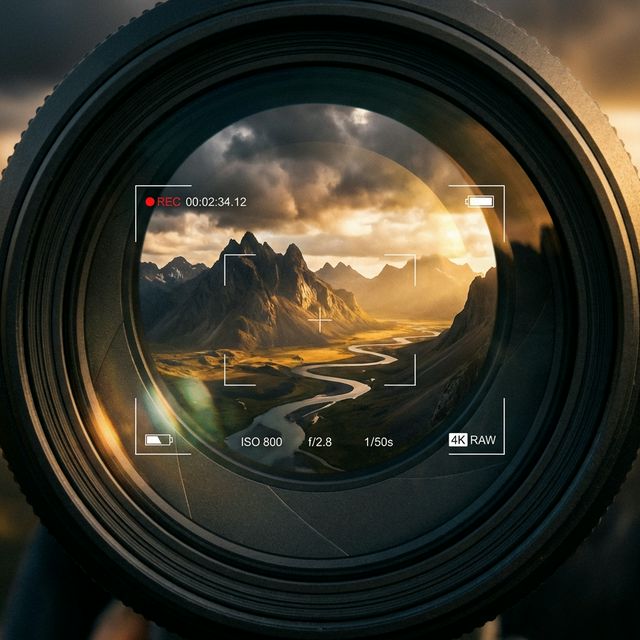
One of the most powerful tools in a filmmaker's arsenal is the choice of camera angle. In the world of AI video, mastering these angles starts with your prompt. Today, we'll explore how to guide Hedra AI to achieve professional, cinematic results.
The Power of the Prompt
To get a specific look, you need to be precise with your language. Instead of just saying "a high angle shot," try using industry-standard terms. Here are a few examples:
- Low-Angle Hero Shot: "A low-angle shot looking up at the subject, making them appear powerful and imposing."
- Dutch Angle: "A tilted camera angle (Dutch angle) to create a sense of unease or dynamic energy."
- Bird's Eye View: "An extreme high-angle shot directly above the scene, capturing the intricate patterns below."
Establishing the Scene: The Wide Shot
To give your audience a sense of place, start with a Wide Shot (WS) or Extreme Wide Shot (EWS).
- The Goal: Show the character in relation to their environment.
- The Prompt: "Cinematic wide shot, character standing in a neon-lit cyberpunk city, expansive background, high detail."
Focused Emotion: The Close-Up
When you want the audience to feel what the character is feeling, use a Close-Up (CU).
- The Goal: Capture facial expressions and micro-movements.
- The Prompt: "Extreme close-up on character's eyes, dramatic lighting, visible emotion, high-fidelity skin textures."
Dynamic Perspectives: Low and High Angles
Changing the verticality of the camera completely shifts the "power" dynamic of a scene.
- Low Angle: Shooting from the ground looking up makes a character appear powerful, heroic, or intimidating.
- High Angle: Shooting from above looking down makes a character appear vulnerable, small, or overwhelmed.
- The Prompt: "Low angle hero shot, looking up at a warrior, dramatic backlighting, 8k resolution."
Dynamic Camera Movement
Wan 2.2 is highly capable of simulating complex motion paths. Use these terms to add energy to your generated videos:
- Dolly Zoom (The "Vertigo" Effect): The camera moves toward the subject while the lens zooms out, creating a disorienting background shift.
- Tracking Shot: The camera follows a moving subject (e.g., "tracking shot of a person running through a forest").
- Panning: The camera stays in one place but rotates horizontally from left to right or vice versa.
- Crane Shot: A high-set camera moves up or down through the air, often used for grand openings or endings.
Lighting & Composition Modifiers
To ensure the AI renders these angles with professional fidelity, add these quality modifiers to your prompts:
- Volumetric Lighting: Adds depth and "god rays" to the scene, highlighting the camera angle.
- Depth of Field (Bokeh): Blurs the background to focus purely on the subject, a hallmark of cinematic photography.
- Golden Hour: Sets the lighting to a warm, low-sun angle for a professional, aesthetic look.
| Camera Angle | Psychological Effect | Prompt Key |
|---|---|---|
| Low Angle | Conveys power, authority, and heroism by looking up at the subject. | low-angle shot |
| High Angle | Conveys vulnerability, submissiveness, or powerlessness. | high-angle view |
| Bird's Eye | Establishes massive scale, geography, and environmental context. | overhead drone |
| Dutch Angle | Creates immediate tension, unease, psychological distress, or madness. | canted frame |
| Eye Level | Neutral, naturalistic, and relatable. Matches human perspective. | eye-level shot |
| Tracking | Injects dynamic energy and immersive movement into the scene. | lateral tracking |
Submit Your Application
Complete the form below to initiate your AI video generation project.
Advanced Structural Angles
Beyond the basic eye-level shot, these perspectives add professional layers to your visual storytelling:
- Point-of-View (POV) Shot: Positions the camera to see exactly what the character sees, creating an immersive, first-person experience.
- Over-the-Shoulder (OTS): The camera is placed behind one character, looking toward another. This is essential for AI-generated dialogue or interaction scenes to establish spatial relationships.
- Worm's Eye View: An extreme low angle looking straight up from the ground, often used in Wan 2.2 to emphasize the massive scale of structures or the height of a subject.
- Extreme Wide Shot (EWS): Focuses on the environment rather than the subject, perfect for showcasing the AI's ability to render expansive landscapes or futuristic cities.
Kinetic Camera Control
Wan 2.2 excels at simulating real-world physics and motion paths. Use these kinetic modifiers to guide the neural renderer:
- Pedestal Shot: The camera moves vertically (up or down) without tilting, useful for revealing large vertical objects or characters slowly.
- Handheld/Shaky Cam: Adding "handheld camera" or "organic camera shake" to your prompt tells the AI to avoid perfectly smooth paths, adding a documentary or action-thriller realism to the clip.
- Orbit/360-Degree Spin: Directs the camera to rotate around the subject, which tests the model's ability to maintain character consistency from all angles.
- Zoom In/Out: Adjusts the focal length. In Wan 2.2, a "slow zoom-in on the eyes" can heighten emotional tension.
Compositional Techniques for AI
How you frame the subject is just as important as the angle itself:
- The Rule of Thirds: Though the AI often defaults to center-framing, you can prompt for "off-center composition" or "subject placed on the left third" to create more visually balanced and professional frames.
- Close-Up (CU) vs. Extreme Close-Up (ECU): Use these to focus on specific details. Wan 2.2 is particularly strong at rendering intricate details like textures, fluid dynamics, and facial expressions in ECU shots.
- Leading Lines: Prompting for "perspective lines leading to the horizon" helps the AI's spatial model construct deep, three-dimensional environments.
Experimentation is key. Try combining different angles with varying lighting descriptions to see how Hedra AI interprets your creative vision. The possibilities are truly endless.
Cinematography FAQs
Learn how to direct Wan 2.2 using professional camera terminology.
A Point-of-View (POV) shot positions the camera to see exactly what the character sees, creating an immersive, first-person experience for the viewer.
Use the "Over-the-Shoulder" (OTS) keyword. This places the camera behind one character looking toward another, which is essential for establishing spatial relationships.
Yes. By prompting for an "Orbit" or "360-degree spin," you direct the camera to rotate around the subject while maintaining character consistency from all angles.
Add keywords like "handheld camera" or "organic camera shake." This tells the AI to avoid perfectly smooth digital paths, adding documentary-style realism.
Use "Extreme Close-Up" (ECU). Wan 2.2 is particularly strong at rendering intricate textures and fluid dynamics when the frame is focused tightly on a specific detail.
A Dutch Angle (or Canted Shot) involves tilting the camera. This is a powerful modifier for creating a sense of unease or psychological tension in a scene.
This is a top-down shot from directly above the subject. It is perfect for showcasing complex layouts, environments, or the dramatic scale of a landscape.
Use the keyword "Dolly Zoom" or "Vertigo effect." This simulates moving the camera toward a subject while zooming out, heightening dramatic realization.
Prompt for "Depth of Field" or "Bokeh." This blurs the background while keeping the subject in sharp focus, a hallmark of professional photography.
Yes. Adding "Volumetric Lighting" helps the AI define 3D space by adding "god rays" or dramatic shadows that highlight the camera's perspective.