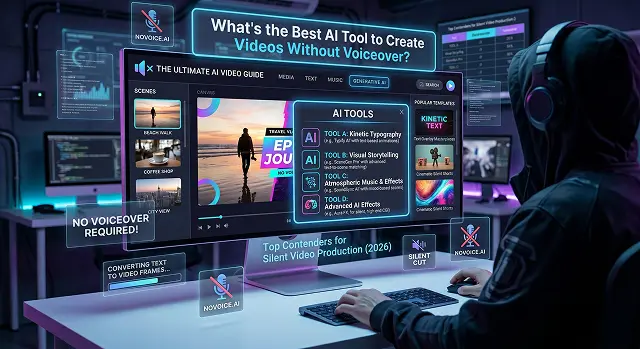
If you’re looking to create videos where the visuals do the talking—think atmospheric social media clips, "faceless" YouTube channels, or cinematic product promos—you actually have better options now than those who want voiceovers.
In 2026, the "best" tool depends on whether you want the AI to generate the footage from scratch or edit existing clips/text into a finished product.
1. The "Social Media Automators" (Best for Quick Content)
If you are looking for a way to make a TikTok videos or Reels from a blog post/idea without speaking, these programs will help you with subtitles and music.
InVideo AI
InVideo is probably the best software for "faceless" video content.
- The "No Voiceover" Feature: You can tell the program "Create a 60-second video about space travel with no voice-over, only epic movie score and large text on the screen."
- The visuals: The program automatically pulls stock footage from sites like Storyblocks and makes transitions based on the music beat.
Pictory
Pictory is designed for "Text-to-Video."
- How it works: You paste a script, and it finds clips that match your keywords.
- The "Silent" Strategy: It is famous for its auto-captioning. Since most people watch social media videos with the sound off anyway, Pictory’s bold, animated captions act as the "narrator."
2. The "Free & Fast" Option: CapCut (Desktop/Web)
While technically an editor, CapCut’s AI features have become massive in 2026.
- Auto Reframing: Automatically will reframe your horizontal footage (with the use of AI) to keep the movement or the "action" in the centre for TikTok vertical video content.
- Beat Sync: If you have any trending song you want to use, simply drop in your song and the AI will match the cuts of your videos directly with the beats of the song.
- Text-to-Video: Use our text generator to create a video from your text inside the editor at no additional charge (Powered by upgraded AI based models).
3. Google Veo 3.1: The "Atmosphere" Specialist
Currently, the 2026 leader in creating a "silent" video is Veo 3.1. It is distinctively capable of generating a type of ambient audio natively (i.e., the sound of crunching snow, city sounds, or the sound of wind), in addition to the visual component.
- Best For: Cinematic b-roll, travel videos, and high-end advertising.
- Why it wins: Highest prompt adherence, e.g., if your request is for "circumferential-campfire in rain," it will capture and portray to perfection all sounds and reflections..
- The "Silent" Strategy: Use its 4K output to create "ASMR" style content where the high-quality visuals and background noises tell the story without words.
The "Cinematic Powerhouses"
Visual Storytelling Leaders · Silent Video Framework
| Tool | Best For | Why it's Great for "Silent" Videos |
|---|---|---|
| Kling AI 3.0 | Realism & Physics | Currently the leader in "physics-aware" motion. If you want a video of water splashing or hair blowing in 4K, it looks real without needing a single word of narration. |
| Google Veo 3.1 | Consistency | Excellent at keeping a character or product looking exactly the same across different shots. It also generates native background audio (wind, city noise) that fits the scene perfectly. |
| Runway (Gen-3 Alpha) | Creative Control | Features a "Motion Brush" that lets you paint exactly which part of an image you want to move. Perfect for high-end artistic clips. |
Submit Your Application
Complete the form below to initiate your AI video generation project.
4. Kling 3.0: The "Real-World" Physics King
Kling has become the go-to for creators who need people to look real. If your video features human movement—walking, eating, or gesturing—Kling 3.0 handles the physics of hair, skin, and clothing better than almost any other AI.
- Best For: Product demos involving humans, fashion clips, and realistic social media "lifestyle" posts.
- Why it wins: It produces 5–10 second clips with incredible "temporal consistency" (meaning the person doesn't transform into a different person halfway through the clip).
- The "Silent" Strategy: Because the motion is so realistic, you don't need a voiceover to "prove" the quality. It looks like professionally shot film.
5. Seedance 2.0: The Speed Demon for Creators
Released in early 2026, Seedance 2.0 has quickly become the favorite for "silent" social media creators because of its incredible generation speed (10-second clips in under 30 seconds).
- "Silent" Benefit: Focused on Cinematic Movement- While some tools can struggle with stiff shots, Seedance is perfect for doing complex camera orbits and tracking shots which will continue to keep the viewer's eyes moving without requiring a narrator or other means to hold their attention.
- Best For: High-Energy Social Media Clips (Ideal for Iterating Quickly), Rapid Iteration, and Creating a Mood Board.
- Price: Credit-based; competitive with the market leaders.
6. Vidu Q3: Best for Multi-Shot Storyboarding
Vidu Q3 is a specialized 2026 tool built for people who want to tell a story through camera movement rather than dialogue.
- Smart Cuts: It can generate a 16-second clip that includes a wide "establishing shot" and then a sudden "cut" to a close-up of a character's face—all in one generation.
- Visual Continuity: It is arguably the best at making sure the "world" of the video doesn't "hallucinate" or change between camera angles.
7. The Professional Choice: Runway Gen-4.5
Runway is the "Adobe Photoshop" of AI video. It is the best for people who want to Direct every pixel.
- Multi-Motion Brush: This innovative tool enables users to add motion to an area of an image that has remained unchanged (e.g. waterfall, a car), while creating an entirely new image altogether.
- Advanced Camera Control: Advanced camera control allows you to use a virtual 'joystick' to control pans, tilts and/or zooms based on your newly created images and videos, which create professional transitions without narration for your viewer.
8. The Professional Choice: Luma Ray3
If your video is purely "eye candy"—like a high-end fashion clip or a nature montage—Ray3 is the technical leader.
- 16-bit Native HDR: It is the first model to offer true studio-grade HDR, making colors and lighting look rich and deep.
- Pre-computation Logic: Ray3 "thinks" about the physics of a scene (how water splashes or how cloth folds) before it starts rendering. This eliminates the "jitter" or "hallucinations" common in older AI models.
- Annotation Tools: You can draw directly on a starting frame to tell the AI exactly where and how you want objects to move.
Silent AI Video Creation
Master the art of visual-first storytelling where the footage speaks for itself.
Silent videos are a high-level Global Strategy. By removing the voiceover, you eliminate language barriers, making your content instantly accessible worldwide. This approach taps into "Aesthetic" trends where immersive ambient sound and cinematic visuals hold more weight than a narrator.
Runway Gen-3 and Luma Dream Machine are the benchmarks. These tools focus on high-fidelity cinematic motion and environmental physics. They excel at creating atmosphere and textures that tell a story through visual emotion alone, requiring no verbal explanation.
Utilize Dynamic Text Overlays. Modern AI editors can procedurally generate minimalist, beautifully animated captions synced to visual cues. This guides the viewer through technical steps or narrative points without interrupting the visual flow of the scene.
Foley AI generates Contextual Sound Effects. Even without dialogue, immersive sound—like wind, footsteps, or mechanical whirs—is vital. 2026 AI tools can analyze on-screen action to generate matching high-fidelity soundscapes, keeping the viewer anchored in the visual.
Yes, this is the "Muted Content" trend. You can take speech audio, transcribe it, and display the dialogue as high-impact kinetic captions over cinematic B-roll. This allows your audience to consume the message in sound-sensitive environments like offices or public transit.
Focus on Color Grading and Rhythmic Pacing. Without a voice to hold attention, you must rely on a consistent color palette to establish mood. Ensure your visual cuts land exactly on the beat of your background music to create a hypnotic, high-retention flow.
Architecture, Luxury Branding, and Travel. These niches rely on aspiration and pure visual beauty. Removing the voiceover lets the viewer project themselves into the scene, making the experience feel more like a dream and less like a targeted sales pitch.
Ready to try Hedra?
Transform your ideas into cinematic video in seconds.