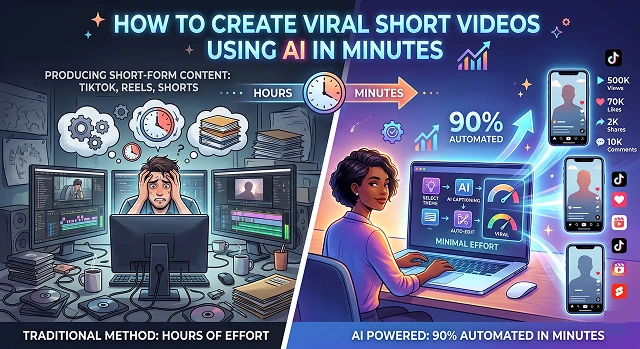
Producing videos in short-form content (TikTok, Reels, Shorts) could require hours of footage to be edited using editing software, but thanks to the power of AI and the technology to enable you to create those videos with minimal effort, the process can now be automated up to 90%.
1. Finding the "Viral" Idea
You do not have to speculate on what people will like; instead, find out what is popular and / or gaining traction when using artificial intelligence.
- ChatGPT/Claude: Ask , "What is a list of 5 controversial or high emotion hooks for a video related to [your niche]?"
- Perplexity: Use to find current search queries/topics in news.
- Example Prompt: "Create a 60-second video script with a psychology hack for increasing productivity using the 'Did you know?' hook and each sentence will be no more than 7 words to allow for quick cuts."
2. Generating the Voiceover (VO)
TIt is both tedious and time-consuming to record your voice as you'll also need to look for a quiet environment. A breakthrough in AI voice synthesis technology means that it's now possible to generate synthetic types that will sound like people, if you know where to look.
- Example Tools: ElevenLabs is currently the leader in producing high-quality, synthetic voices for commercial applications.
- The Trick: Look for voices that possess both "high-stability" and "high-clarity"; typically, the "Adam" or "Marcus" voices will be used very often in the viral tech/finance videos because they are both authoritative and relatable.
3. Visuals: The "B-Roll" Magic
This is where most people get stuck. You have two main AI paths here:
Path A: The "Faceless" Stock Approach
If you want to avoid appearing on camera, you can make use of software such as InVideo AI or Pictory.
- You put your script in and the software will find stock footage that corresponds to your script automatically and matches it with the voiceover. It will also create smooth transitions between scenes.
Path B: The "AI Avatar" Approach
If you want a "person" talking but don't want to film yourself.
- Tools: HeyGen or Synthesia.
- You upload a photo or use a preset avatar, and the AI animates their mouth and facial expressions to match your voiceover perfectly.
4. Captions: The Key to Retention
80% of people watch short videos on mute. If you don't have captions, you’ve already lost.
- Tools: Submagic or Captions.ai.
- Why they work: These aren't just subtitles. They add emojis, highlight keywords in different colors, and "pop" on the screen. This visual movement keeps the viewer's brain engaged so they don't scroll away.
5. The "Viral" Finishing Touches
Once you have everything ready to go, it's time to let AI help you complete those final 5% of tasks that will make your video successful:
- Music: Generate lo-fi or cinematic background music by using Loudly or Aiva so that your music matches the tone of your video script.
- Auto-Reframe (Auto-Reframe): OpusClip can convert your lengthy YouTube videos into shorter segments. It utilizes artificial intelligence to identify the funniest or most exciting moments in your long video, produces a vertical (9:16 aspect ratio) version of that moment, and automatically adds captions to each of these moments.
The "5-Minute" Workflow Summary
Efficiency Guide · Content Automation Pipeline
| Step | Task | AI Tool Suggestion |
|---|---|---|
| 1 | Scripting | ChatGPT / Claude |
| 2 | Voiceover | ElevenLabs |
| 3 | Visuals | InVideo AI (Stock) or HeyGen (Avatar) |
| 4 | Captions | Submagic |
| 5 | Distribution | OpusClip (to repurpose long content) |
Submit Your Application
Complete the form below to initiate your AI video generation project.
High-Retention Voice & Audio (2-4 Minutes)
Robot sounds will definitely kill your content's virality! You want people to feel like they are hearing a human being, not a machine!
- Voice Synthesis: Use ElevenLabs to create a unique "brand voice" through the voice design tool, rather than going with the defaults.
- The secret: Videos that do really well use a "voice over music" formula, where the background music lowers whenever the AI is speaking.
- AI Music: Use Mubert and/or Loudly; you can prompt for a custom non-copyrighted track such as "Dark Cinematic Trap 120 BPM" so that your content won't get muted on TikTok/Instagram.
Automated Video Creation (4-8 minutes)
The process of creating videos in the past has taken the longest. However, using AI today can speed up this process considerably, especially when you consider how difficult it would be to shoot and edit ‘B-Roll’ content.
The Faceless Method (fastest)
Use InVideo AI by typing a command like “Make a 60 second video of ‘the History of Bitcoin’ in a Gritty/ Dark Style with a Fast Pace.”
- The AI will search through its database of millions of video clips.
- Once the AI has found suitable video clips for you, it will sync them to the beat of the music.
- It will then add in transitions on your behalf.
The Clone Method (highest level of authority)
If you don’t want to show your face on film but still want to represent your brand as its “face”:
- Use HeyGen to record yourself for 2 minutes one time. The AI uses this clip to create a ‘Digital Twin’ of you.
- After you create your Digital Twin, all you need to do is enter text for it to produce a video of you saying + acting out those words with the same expressions as captured during your initial recording.
Psychological Captioning (8-10 Minutes)
Captions aren't just for accessibility; they are "eye candy" that prevents the viewer from looking away.
- Tool: Submagic or Captions.ai.
- The "Viral" Style: Select the "Alex Hormozi" or "MrBeast" preset. These styles use:
- Auto-Emoji: When the AI detects the phrase ‘money,’ it immediately puts the 💰 emoji next to it.
- Color Highlight: The the AI highlights the most important word of every sentence yellow or green.
- Dynamic Zoom: AI periodically zooms the video in/out small amounts to keep your brain 'woke' as you're watching the video.
How to Create Viral AI Shorts
Master the science of the scroll-stop and go viral in minutes.
The secret is the "3-Second Hook." Viral AI videos use a visually striking character or a controversial first sentence. Because AI generates "impossible" visuals, leading with a character that looks too real to be fake is the best way to stop the scroll.
Focus on High-Curiosity Niches. AI characters perform incredibly well in "Storytime" videos, "Did You Know" facts, or motivational quotes. These niches rely on the "messenger" (your AI character) being unique enough to keep the viewer watching.
Fast and snappy. AI videos should never have more than 3 seconds of a static shot. Every few seconds, "zoom in" slightly or add a background effect to keep the brain engaged. Pacing is what builds retention!
Upload your video to TikTok/Reels and use the "Add Sound" feature. Set the trending sound to 5% volume and your AI voice to 100%. This "piggybacks" on the algorithm while keeping your content original.
Absolutely. Use ChatGPT to request a "High-Retention Short Script." Tell it to include a "Pattern Interrupt" every 10 seconds. AI writing combined with AI visuals creates an automated content machine.
Yes—that is the "unfair advantage." Because you can generate videos in minutes, you can A/B test hooks. Post 3 versions of the same story and see which one the algorithm favors.
Commit to posting 1 AI video every day. People follow "personalities," so keep your character's voice and visual style consistent so they become a recognizable brand over time.
Ready to try Hedra?
Transform your ideas into cinematic video in seconds.