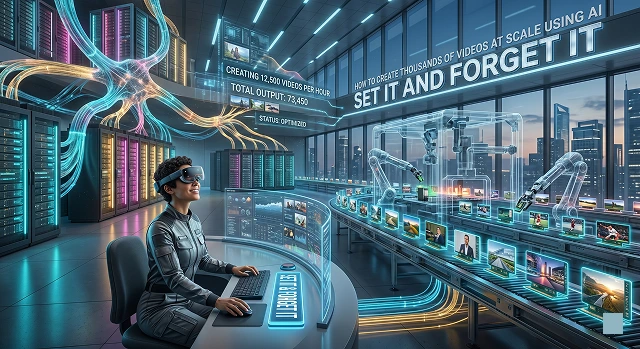
Making tens of thousands of such videos would be impossible without AI; it is a “set it and forget it” type of engineering feat. This is done by moving away from video editing tools (such as Premiere Pro) to programmatic video creation.
Following is a step-by-step guide on creating an engine to produce thousands of videos in simple English language.
1. The Core Architecture: "Modular Video"
The video is not something that you create; you just develop a template for it. Think about the video as a sandwich, with the bread being constant but the fillings changing each time.
- The Template: Design one master project using applications such as Adobe After Effects and Canva, including "place holders" for text, graphics, and video clips.
- Data Feed: Develop a spreadsheet (either CSV or JSON) with unique information for each of the thousands of videos ("Row #1: How to Bake a Cake," "Row #2: How to Fix a Sink").
2. The AI Production Line
To automate the "filling" of that sandwich, you use specific AI tools for each layer:
A. Scripting (The Brain)
Rather than writing 1,000 scripts, you employ tools like LLMs like Gemini or GPT-4.
- The Input: "Can you write 1,000 30-second scripts for [Topic] in a friendly tone in CSV format?"
- The Output: A structured file ready for the next step.
B. Voiceover (The Audio)
These include TTS APIs such as ElevenLabs or Play.ht.
- Reason: These services have the capability of generating high-quality human-like narrations within a few minutes for all 1,000 scripts. All you need to do is provide them with the text in your Excel spreadsheet.
C. Visuals (The Face)
There are two ways to handle the visual layer:
- AI Avatars: Tools like HeyGen or Synthesia allow you to "type" and have a digital human speak your script.
- Stock Concatenation: Tools like InVideo or Pictory automatically find stock footage that matches the keywords in your script.
3. "Stitching" (programmatic rendering)
Here is where the magic takes place. This step requires software capable of turning the script, audio, and template into video without a person pushing an “export” button.
- Creatomate / Shotstack: These are "Headless" video editors. You send them your data via an API, and their servers render the videos in the background.
- Make.com / Zapier: If you aren't a coder, you use these "glue" tools. You can set up a workflow: When a new row is added to Google Sheets → Generate Voiceover → Create Video → Save to Google Drive.
4. The "Human" Reality Check
Even though AI does all the work, you have to take charge and become the Creative Director yourself:.
- Quality Control: The AI can hallucinate. Always spot check once every 50 videos and make sure the voice matches the written text.
- Brand Voice: Make sure your initial template looks professional. If the template is ugly, you’ve just made 1,000 ugly videos.
- The "Hook": AI is great at facts but sometimes bad at "vibes." Spend your time perfecting the first 3 seconds of the master template.
Manual vs. AI-Scaled Production
| Feature | Manual Editing (Old Way) | AI Programmatic (New Way) |
|---|---|---|
| Time per Video | 2–5 Hours | 15–30 Seconds |
| Cost per Video | High (Labor + Software) | Low (API credits) |
| Personalization | Impossible at scale | Unlimited (Name, City, specific facts) |
| Language Support | Requires translators | 100+ languages at the click of a button |
| Consistency | Depends on the editor's mood | 100% brand-consistent every time |
Submit Your Application
Complete the form below to initiate your AI video generation project.
The Dynamic Template Strategy
In a manual workflow, you move layers around by hand. In a scaled workflow, you use JSON-based templates. You design a video once in a tool like Creatomate or Bannerbear, and every element (text, background video, colors, music) is assigned a variable name.
- Dynamic Overlays: You can program the template to change the background color based on the "mood" of the script or swap out a logo based on the target audience.
- The "Main" Composition: This includes your branding, the safe zones for social media UI (like where the TikTok Like button sits), and your caption styling.
Advanced AI Scripting & Data Preparation
It’s impossible for you to prompt an AI 1,000 times by yourself. Batch Processing or API calls must be used.
Paid-Only Features:
- Structured Prompting: You tell the AI (via API) to output its response in a specific format like a table. For example: Topic | Hook | Body | Call to Action.
- Personalization Tokens: If you are making sales videos, your data sheet would include columns for First_Name, Company_Name, and Pain_Point. The AI then weaves these specific tokens into a natural-sounding script for every individual video.
High-Fidelity Voice & Lip-Sync
The "uncanny valley" is the biggest hurdle in scaled video. To overcome this, pro-level workflows use two specific types of AI:
- Voice Cloning: Instead of using generic robotic voices, you clone your own voice (using ElevenLabs) so that 1,000 videos sound like you recorded them.
- Generative Avatars: There is software such as HeyGen that applies Video-to-Video or Text-to-Avatar techniques. You give the text and the voice recording, and the AI will generate a human-like character whose lips and body movements match perfectly with the generated speech.
The Automation "Glue" (No-Code vs. Low-Code)
This is the process where the actual transfer of data from the spreadsheet into the video rendering process takes place.
The No-Code Process (Zapier/Make.com)
- Trigger: A new entry is made on a Google Spreadsheet.
- Action 1: The “Topic” is sent to OpenAI for the generation of scripts.
- Action 2: Send that script to ElevenLabs for the MP3.
- Action 3: Send the MP3 and Script to Creatomate to render the video.
- Action 4: The finished video link is emailed to you or posted to Slack.
Low-Code Approach (Python/Node.js)
To make 10,000 videos, No-Code will become too costly. Programmers write Python scripts to send “Bulk Requests” to API calls. Using “Headless” servers, one can render multiple videos simultaneously within the cloud, making it quicker and more economical.
AI Video Production at Scale
Move beyond one-off clips and build a high-volume automated video factory.
Absolutely. In 2026, we use Batch Processing. Instead of one prompt at a time, you can upload a CSV or connect a database. The AI reads each row—product name, price, and benefits—and automatically renders a unique video for every item in your list.
Programmatic video means using APIs and Code to "order" content. Developers write scripts that tell the AI: "Every time a new product is added to the store, generate a 15-second promo with this music." This removes the human from the "export" button entirely.
We use Dynamic Video Templates. You design the "frame"—your logo, fonts, and brand colors—as a static layer. The AI only generates the content inside that frame, ensuring that whether you make 10 videos or 10,000, they look perfectly on-brand.
Instead of relying on random prompts, you provide Pre-Approved Assets—like specific 3D models or product photos. The AI's job is simply to animate those ingredients, which prevents "hallucinations" and keeps your product's appearance accurate.
For scale, move to Pay-As-You-Go API usage. We also use "Draft Mode" (lower resolution) to test 1,000 versions quickly, and only "Up-res" the ones that pass our quality check, saving up to 80% on GPU costs.
Yes. AI Video Agents can take a long recording (like a podcast), find the "Viral Moments," crop them for vertical screens, add captions, and export dozens of Reels from a single file automatically.
E-commerce and Real Estate. Generate 5,000 personalized videos—one for every single product or property listing. This "Hyper-Automation" is how modern brands dominate local search and personalized email marketing.
Ready to try Hedra?
Transform your ideas into cinematic video in seconds.