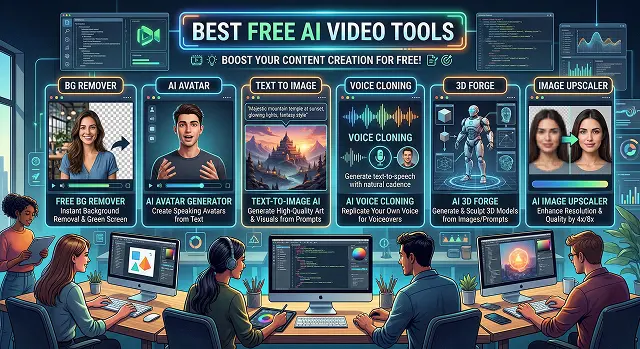
The landscape of AI video in 2026 is split between "Generators" (creating video from thin air) and "Editors" (using AI to polish existing footage).
Here are the best free tools currently available, broken down by how you’ll actually use them.
1. The Best "Text-to-Video" Generators
These tools turn a text prompt into a brand-new video clip.
- Kling AI 3.0: Widely considered the "Sora-killer" you can actually use. It offers a generous 66 free credits daily that refresh every 24 hours. It is famous for "physics-aware" generation—meaning things like splashing water or flowing hair look incredibly realistic.
- Google Veo 3.1: Now integrated into the Gemini app and Google’s "Flow" app. It’s excellent for cinematic 4K shots and is currently free for users with certain Google accounts (or through limited monthly credits). It’s particularly good if you want "commercially safe" content.
- Luma Dream Machine 2.5: Great for memes and high-action sequences. The free tier gives you about 30 monthly renders. It’s one of the fastest at turning a static image into a moving video.
- Hailuo AI (MiniMax): The go-to for human movement. If you need an AI person to look natural and not "robotic," Hailuo’s motion engine is top-tier. It usually offers several free generations per day.
Best Free AI Video Tools
Feature Comparison · 2026 Edition
| Tool | Best For | Free Allowance |
|---|---|---|
| Kling AI | Realistic Physics & Human Motion | 66 Credits / Day |
| CapCut | Social Media / TikTok Editing | Unlimited (mostly) |
| Luma | High-Action / Memes | 30 Renders / Month |
| Sora | Cinematic Quality & Storytelling | Limited (Varies) |
| Wan 2.2 | Local / Private Use | Unlimited (GPU required) |
2. The Best AI Video Editors (No Watermark)
If you've already captured video and you're looking for a way to edit it with the help of AI that won't leave a huge logo covering your face, these are your options:
- CapCut (Desktop/App): The reigning social media of video editing software. The AI features such as auto captioning, background removal and 'script to video' are mostly available for free. You can still export from the free version at maximum quality, free of any watermark.
- DaVinci Resolve: A top of the line software for professional users. There is a very steep learning curve associated with it however. In addition, there is the Neural Engine (AI) which aids in the following areas; auto-tracking of assets, facial refinements, voice isolation – all totally FREE without the addition of a watermark.
- Veed.io / InVideo: These are both web-based video editing applications. They work well with any type of “faceless” YouTube channel since the AI will select stock footage that corresponds to the script you provide. Note: Most of the free versions contain watermarks unless you're able to take advantage of special promotional trials.
3. Specialty AI Video Tools
- OpusClip: OpusClip is ideal for those who create "Shorts". By simply inputting a long-form YouTube link, Opus uses AI technology to discover the viral sections of the video, crop them to vertical format, and provide support through the inclusion of captions. The free tier provides you with a limited number of credits on a monthly basis.
- HeyGen / Synthesia: Best for "Talking Heads." You type text, and a realistic AI avatar speaks it. These are very restricted on free plans (usually only 1 minute of video total), but they are the best for corporate or training videos.
Submit Your Application
Complete the form below to initiate your AI video generation project.
4. Specialized "Faceless" & AI Avatar Tools
If you want to create videos where an AI person talks directly to the camera (perfect for your blog or tutorials):
- Free Tier: You get 1 free credit (roughly 1 minute of video) to start.
- The Catch: It’s a "one-time" trial, not a monthly refill. Best for testing a single high-quality marketing video.
- Free Tier: Allows you to create 3 minutes of video total using a selection of 9 basic avatars.
- The Catch: You cannot download the video on the free tier; you can only share a link to the Synthesia page.
- Free Tier: 5 minutes of video total. Great for making a "talking logo" for your website.
- Free Tier: ~60 minutes of video processing per month.
- AI Feature: It automatically adds "Alex Hormozi style" captions and crops the video to focus on the speaker's face.
- AI Feature: "AI Movement" (keeps the camera on you even if you move) and "Voice Isolation" (removes loud background noise for free).
- Free Tier: Nearly all features are free, but some "Pro" transitions require a subscription.
- AI Feature: It has an "Auto-Compose" feature that takes your raw clips and edits them into a movie for you.
- Wan 2.1 / 2.2: Currently the best open-source model. It competes with Kling in terms of quality.
- SkyReels V1: Specifically optimized for human expressions. If you need an AI character to look sad, angry, or happy realistically, this is the one to download.
- LTXVideo: Optimized to run on "weaker" computers. If you don't have a $2,000 PC, this model will still generate 720p video relatively quickly.
HeyGen: Still the industry leader for lip-syncing.
Synthesia: Best for corporate/professional looks.
D-ID: Best for animating static "headshots" or historical photos.
5. The "Social Media" Powerhouses (Editing & Repurposing)
These tools take your long videos and use AI to make them viral-ready.
OpusClip: Specifically designed to turn long YouTube videos into TikToks/Shorts.
CapCut (Desktop): The most powerful free editor.
Clipchamp (by Microsoft): * The Hero Feature: No Watermarks on 1080p exports.
6. Open Source (The "Pro" Secret)
If you have a PC with a decent Graphics Card (GPU), you should ignore all the "credits" above and use these. They are 100% free forever because they run on your computer.
Best Free AI Video Tools
A curated list of budget-friendly tools to supercharge your creative workflow.
Yes, but there's usually a credit system. Most top-tier tools, including ours, offer a free tier so you can test the waters. You can generate a few clips a day, which is perfect for hobbyists or those just starting their AI filmmaking journey.
For cinematic scenery or background action, tools like Runway Gen-2 or Pika Labs are industry favorites. They have generous trials that let you turn text into short, high-energy clips that look great in a montage.
Definitely. ElevenLabs is the gold standard for AI voices and offers a free plan with plenty of characters. You can also use CapCut’s built-in text-to-speech for a quick, zero-cost solution.
If your free tool outputs a low-res file, use Upscayl (open-source and free) or the trial of Topaz Video AI. These tools "clean up" pixels to make a free clip look like a professional 4K render.
The main limitations are watermarks and slow generation times. Free users usually wait in a queue behind paid members. For unbranded client work or tight deadlines, a paid tier is usually necessary.
For scripting, ChatGPT (Free) or Google Gemini are your best friends. Describe your idea and ask for a "1-minute script" or "cinematic dialogue." They provide a solid foundation that you can tweak to match your character’s voice.
Copyright-free music is essential. The YouTube Audio Library is a classic resource, but Pixabay Music offers more modern tracks free for commercial use, preventing your videos from being muted on social media.
For pro-level editing, DaVinci Resolve is unbeatable. For faster, social-ready edits, CapCut is perfect. It even includes AI-powered auto-captions that save hours of manual work.
Instead of cropping, generate your character against a solid background. Then, use the free "Chroma Key" (Green Screen) effect in CapCut to move the character into a clean, new scene without the watermark.
The ultimate budget loop: ChatGPT for script -> ElevenLabs for voice -> Hedra for animation -> CapCut for editing. You can create viral-quality video using just the free tiers of these tools.
Ready to try Hedra?
Transform your ideas into cinematic video in seconds.