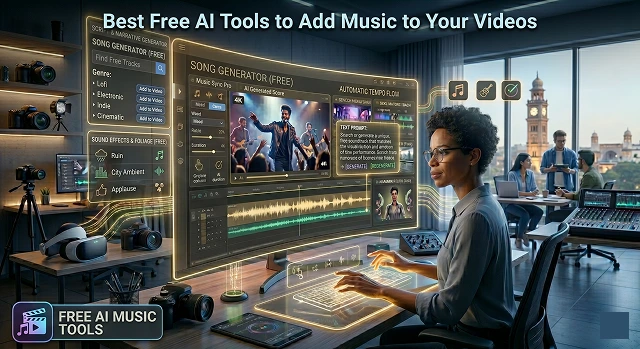
Adding music to your videos used to mean spending hours scrolling through royalty-free libraries or risking copyright strikes. In 2026, AI tools have shifted the workflow from "searching" to "generating."
1. Soundraw: The "Personal DJ" for Your Video
Soundraw is widely considered the best for creators who want the AI to do the work but still want a "remote control" to change things.
- How it works: You don’t need to know music theory. You just select the Mood (e.g., "Epic," "Happy"), Genre, and Length.
- Advantage of "Automatic": Your video may be directly uploaded to the interface itself. It would enable you to coordinate the "energy" of the music at certain points in the video. If the intensity of your video peaks up after 30 seconds, you may ask the AI to increase the "energy" at that point.
- Free Tier: You can create an unlimited number of songs without a cost, but generally speaking, they have to be downloaded from a paid subscription.
2. Beatoven.ai: The "Mood Matcher"
If you’ve ever felt that a song is great but "too loud" during a talking segment, Beatoven is your solution.
- How it works: Emotion Mapping technology comes in handy. All you need to do is upload your video and pick a topic; after that, it will be possible to divide your video into segments and assign emotions to them ("Calm" for introduction and "Exciting" for revelation).
- "The Automatic Advantage": It will automatically create a unique music track that changes from one emotion to another smoothly, making sure that your song matches the story.
- Free Plan: Has a "Forever Free" plan which allows you to create and download tracks.
3. Mubert: The "Text-to-Music" Specialist
Mubert is perfect if you can describe what you want in words but can't find it in a library.
- How it works: You type a prompt like "Upbeat lo-fi for a travel vlog with a sunset vibe" or even upload an image, and the AI generates a track based on the visual "vibe" it detects.
- The "Automatic" Edge: It has a dedicated Render tool where you can set the exact duration of your video, and it will generate a perfectly looped track that ends exactly when your video does.
- Free Tier: You can generate tracks for free, but downloads are limited and require you to credit Mubert in your video description.
4. Loudly: The "Fast & Simple" Generator
Loudly is designed for social media creators (TikTok, Reels) who need a high-quality beat in under 5 seconds.
- How it works: You select a "Song Formula" (Genre + Duration + Energy). It gives you three unique variations instantly.
- The "Automatic" Edge: It focuses on "Stems." This means if you like the drums but hate the piano, you can automatically mute one part without regenerating the whole song.
- Free Tier: You can generate 25-30 tracks a month for free, though downloading is usually tied to a "Free Trial" or limited credits.
Quick Comparison Table
AI Music Generators · Feature & Pricing Matrix
| Tool | Best For... | Key Feature | Free Status |
|---|---|---|---|
| Soundraw | Customizing intensity | Video preview & energy toggles | Unlimited gen / Paid download |
| Beatoven | Storytelling/Vlogs | Changing moods by section | Free tier (with attribution) |
| Mubert | Fast Prompting | Text-to-Music & Image-to-Music | Free tier (limited downloads) |
| Loudly | Social Media | High-quality "Song Formulas" | Limited monthly credits |
Submit Your Application
Complete the form below to initiate your AI video generation project.
Suno: The Best for "Full Songs" (with Vocals)
Suno is currently the heavyweight champion if you want your video to have a background track that sounds like a real song on the radio.
- The “Human” Feeling: You can actually input "A happy song from the 90s in the grunge style describing a road trip across the desert," and you get a full song complete with lyrics, music, and a singer.
- Free Version: You earn 50 credits a day (about 10 songs).
- The Catch: On the free plan, you don't own the commercial rights, meaning you can use it for your personal YouTube or TikTok, but you can't "sell" the video or the song.
Udio: The "Editor's Choice" for Customization
Udio is Suno's biggest rival and is preferred by people who want more control over the "structure" of the music.
- The “Human” Feeling: Very good at “remixing.” In case the track you got from the AI is good enough but needs more ending, you can add an extra 30 seconds using the “extend” option in the exact same way.
- Free Plan: Very generous. In 2026, they give 10 credits daily and an additional 100-credit bonus per month.
- The Downside: Similar to Suno’s free plan, the AI-generated sounds can only be used for personal projects; the samples are usually 30 seconds long and need to be “stitched” together using their extend function.
AIVA: The "Cinematic Composer"
In case you are creating short films, documentaries, or even drama travel blogs, AIVA is the best choice. It has an extensive selection of orchestral and cinematic music.
- The "Human" Vibe: It doesn't just give you an audio file; it understands "scales" and "chords." You can pick a "profile" like Epic Cinematic or Cyberpunk, and it composes a score that sounds like it belongs in a movie.
- Free Tier: You can generate unlimited tracks and download 3 tracks per month.
- The Catch: You must give credit to AIVA in your video description, and you don't own the copyright on the free plan.
Beatoven.ai: The "Mood-Sync" Specialist
This is the most "automatic" tool for creators who don't want to think about music theory. It’s built specifically to sit under your voice.
- Human Feelings: After uploading your video clip, instead of choosing a genre, you get to choose moods. Your video clips may be labeled “Sad,” and another segment marked “Triumphant,” after which the software will generate a transition between them.
- Free Tier: Offers unlimited generations so you can experiment as much as you want.
- The Catch: You pay for "download minutes." However, their 2026 trial often includes a few free minutes of high-quality downloads to get you started.
Sonauto: The "Completely Free" Wildcard
Sonauto has attracted immense attention in 2026 because it is one of the few websites which is still free and lightning quick.
- The “Human” Feel: It caters to short videos (Shorts/Reels). It’s super fast and delivers tracks in seconds!
- Free Version: It does not rely on “credits” like the other sites and offers free services presently.
- The Twist: It is quite “niche.” For example, if you search for “Pop,” it may come up with something experimental/indie music instead!
Top AI Video Generators (2026)
Find the perfect neural partner for your high-end production workflow.
In 2026, Google Veo 3.1 and Kling 3.0 lead the industry. Veo 3.1 offers native 4K output with stunning temporal consistency, while Kling 3.0 is the gold standard for complex physics like hair, fabric, and fluid motion.
HeyGen Avatar IV and Synthesia remain the benchmarks. HeyGen now supports instant "Digital Twin" creation from just 2 minutes of footage, offering frame-accurate lip-sync in over 300 languages, making it perfect for global content localization.
The standalone Sora app was discontinued in April 2026. However, Sora 2 is now fully integrated into ChatGPT Plus and Pro tiers. It remains a powerhouse for long-form narrative consistency, generating cohesive scenes up to 60 seconds long.
Runway Gen-4.5 is the director's favorite. With its "Motion Brush," advanced camera controls, and the new "Aleph" video-editing suite, it allows you to manipulate specific parts of a frame rather than just hoping for a lucky generation.
Luma Dream Machine and Pika are the top picks for vertical content. Luma is praised for its "fast-to-render" architecture and high stylized quality, while Pika offers creative features like character/object replacement (Pikaswaps) that go viral instantly.
Opus Clip and InVideo AI specialize in repurposing. Opus Clip uses AI to find viral "hooks" in long YouTube videos, automatically reframing them and adding dynamic captions with a single click.
It comes down to your End Goal. For photorealistic narrative, use Veo 3.1 or Sora. For marketing presenters, use HeyGen. For creative ads with granular control, use Runway. Most platforms offer a few free credits daily, so the best way to decide is to test the same prompt in each!
Ready to try Hedra?
Transform your ideas into cinematic video in seconds.