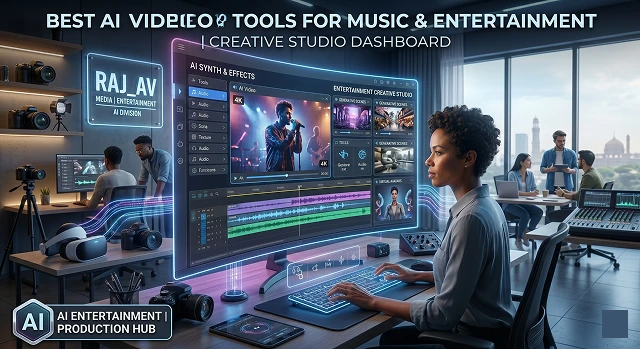
The AI video landscape in 2026 has shifted from "cool experiments" to tools that can actually handle the heavy lifting of professional music and entertainment production. Whether you’re an indie artist or part of a major studio, the market has split into clear categories: Cinematic Powerhouses, Rhythm-Sync Specialists, and Post-Production AI.
Here is the breakdown of the best AI video tools for the industry in 2026.
1. The Big Guns of Cinematic High Fidelity
These tools are the ones that create the "Hero Shots" with high fidelity which are visually stunning and are indicative of a high budget. They provide the foundation for a music video or movie trailer.
- Sora 2: OpenAI continues to be the gold standard for physics and realism. If you want to create a scene that has water splashing or fabric moving realistically, nothing can compare to Sora 2. Sora 2 is perfect for high-end cinematic sequences that require complex physical interactions.
- Kling 3.0: The "long-form" king. Kling 3.0 is famous for its ability to generate clips up to 2 minutes long with native 4K resolution. It’s highly budget-friendly for creators who need high volume without the "Enterprise" price tag.
- Google Veo 3.1: A powerhouse for creators already in the Google ecosystem. It is unique because it offers audio-native generation, meaning it can generate synchronized sound and video in a single pass—a huge time-saver for rough cuts.
2. The Rhythm Specialists: Music-First Tools
Most AI tools treat audio as an afterthought. These tools, however, were built specifically for the beat.
- Freebeat: Currently the top-rated tool for musicians. It analyzes your song’s BPM, structure (verse/chorus), and "energy curves" to generate video that actually pulses and cuts to the beat.
- Neural Frames: Neural Frames offers a great collection of abstract and psychedelic visuals. By utilizing Stable Diffusion, they are capable of animating and visualizing different frequencies of your audio, resulting in a morphing and swirling motion. They are perfect for creating techno, ambient and lo-fi visualizations.
- Kaiber: Best for social media teasers and "vibe" clips. It’s incredibly easy to use and has a signature "painterly" style that many artists use for Spotify Canvas or Instagram Reels.
3. The Performance Tools: Lip-Sync & Avatars
If you need a digital character to "sing" or a spokesperson to deliver a clear message, these are the leaders.
- Zoice: Zoice has established itself as the 2026 leader for being the most accurate system for matching lip-syncing. Unlike other production tools, Zoice uses synchronization of a character's mouth with audio tracks, along with facial motion and eye motions that correspond to the audio track and display human character actions, that make it the most "human" appearing of all production tools.
- Seedance 2.0: Seedance 2.0 is well-known for its ability to generate "joint" lip syncing for an audio dialogue track, create a background scene with background music, and create a foley sound effect simultaneously, and is increasingly being used in producing high-fidelity digital performances for professional actors.
- HeyGen / Synthesia: The "corporate-to-creative" bridge. While often used for training, their 2026 updates allow for much more expressive performances, making them viable for quick music-themed promotional content.
4. The "Invisible" AI: Pro Video Editing
Creating a video from beginning to end is not required; you can sometimes use AI tools to help improve content that has already been made.
- Adobe Premiere Pro (Generative Extend): A lifesaver for editors. If a clip is 2 seconds too short for the beat, Adobe’s AI can "hallucinate" additional frames to extend the shot naturally.
- DaVinci Resolve 19+: Includes the Music Remixer, which can separate vocals from drums and bass within a track, allowing you to sync visual effects specifically to the kick drum or the singer’s voice.
- Descript: Essential for "talking head" content or interviews. You edit the video by editing the text transcript. If you delete a word in the text, it deletes that moment in the video.
Quick Comparison Table
AI Video Tools · Feature Analysis (2026)
| Tool | Best For | Standout Feature |
|---|---|---|
| Sora 2 | Cinematic Realism | Perfect physics simulation |
| Kling 3.0 | Long Content | 2-minute clips in native 4K |
| Freebeat | Music Videos | Full beat-sync and song analysis |
| Zoice | Lip-Sync | Realistic facial and eye movement |
| Runway Gen-4 | Creative Control | Motion Brush (control exactly what moves) |
Submit Your Application
Complete the form below to initiate your AI video generation project.
Full-Length Music Video "Directors"
They don't merely make random clips of 4 seconds each but rather take a complete music piece and create a narrative flow based on it.
Freebeat (The Musician’s Choice)
Freebeat is widely considered the most complete "music video machine" for independent artists. Instead of just reacting to volume spikes, it performs a deep structural analysis of your track.
- How that happens: Upload your audio track (or connect a song from Suno, Udio, and YouTube). Freebeat will find its tempo (in beats per minute), divide into sections (verse, chorus, bridge), and create a whole video of up to 6 minutes.
- The Workflow: It gives you a literal film storyboard interface. You can plan your A-roll (e.g., a character singing), B-roll (atmospheric shots), and C-roll, altering prompts or visual styles (like Neon Noir, Anime, or Cinematic) shot by shot while ensuring the pacing cuts precisely on the beat.
- Standout Feature: It includes native character motion and singing lip-sync, meaning your digital artists actually perform to your track.
One More Shot (The Rapid Prototype)
If Freebeat is a detailed storyboard editor, One More Shot is the hands-off automated alternative for fast turnarounds.
- Auto Mode vs. Project Mode: In Auto Mode, you feed it a track, and it immediately outputs a finished, watermark-free HD music video built entirely by the AI. Project Mode hands back the reins, allowing scene-by-scene editing. It has quickly become a favorite for creators needing high-volume visual content for full albums without burning out on editing software.
Audio-Reactive Visualizers & Loop Generators
These programs were created specifically for electronic/ambient, lo-fi hip-hop artists that want to create stunningly hypnotic audio-reactive visuals for their Spotify Canvas, Apple Music, or YouTube Background Streams.
Neural Frames (The Complex Audio-Engine)
Neural Frames uses a model-agnostic approach—meaning it weaves together various backend models like Stable Diffusion—and overlays an incredibly sensitive audio-reactivity framework on top.
- The Deep Tech: IIt allows you to isolate different frequencies of your song. You can set the bass drum to trigger sudden camera zooms, the vocals to change the texture or color palette, and the hi-hats to trigger glitch effects.
- The Output: It yields swirling, evolving, morphing, and highly psychedelic animations. It doesn't handle storytelling or humanoid lip-syncing well, but for pure abstract, rhythm-synced art, it’s a powerhouse.
Kaiber (Superstudio) (The Conceptual Mood Board)
Kaiber has evolved into a "creative playground" used by major artists (like Linkin Park) for its distinct, painterly aesthetic.
- The Interface: Its Superstudio canvas lets you drop in images, videos, and music descriptions altogether, treating the interface like an interactive digital mood board.
- The Vibe: Its audio reactivity is less about precise surgical cuts to the beat and more about an organic "vibe match." It smoothly morphs textures to match the energy curve of the music, making it excellent for setting an atmospheric tone.
Cinematic Powerhouses (Footage Creators)
These tools do not understand music or audio inputs natively. However, they produce the highest-quality, most physically consistent video clips on earth. Professional video editors use these to generate "source material" and then chop them to the beat inside traditional editing programs like Premiere or DaVinci Resolve.
Runway (Gen-4 / Gen-4.5) (The Industry Benchmark)
Runway remains the darling of Hollywood VFX artists and professional indie filmmakers due to the sheer amount of director-level control it offers.
- Advanced Camera Control: You not only type a prompt; instead, you will dictate how you want the camera to move i.e. left panning, upward tilts, zooming out at an exact speed, etc.
- Multi-Motion Brush: Allows you to upload a static image and then use the brush tool to tell the AI that "this is the area I want the water animated flowing, (and) this is the area I want the singer’s hair blowing approximately to the right, (and) everything else will remain absolutely still."
Kling AI (The Long-Form Realism King)
Kling has carved out a massive user base by solving the two biggest flaws of generative video: short clip limits and weird physical warping.
- High Coherence: It generates individual clips that can stretch up to 2 minutes with incredible photorealism. If a character walks down a street in a Kling video, their face, clothing, and environment remain consistent throughout the clip rather than shifting into surreal artifacts every few frames.
AI Entertainment Video Guide
Unleash the ultimate production tools for music videos, visuals, and virtual artists.
For high-concept, creative music videos, Wan 2.1 and Kling AI are changing the game. They excel at deep text-to-video comprehension and rich textures, allowing directors to generate cinematic dreamscapes and surreal sequences that would cost millions to build physically.
Creators leverage tools like Character-3 to establish highly consistent virtual performers. Once a seed character model is locked, it retains identical facial structures and style choices across completely different environments, allowing you to build an enduring digital pop star brand.
Yes, advanced audio-driven lip-sync engines map facial muscles directly to vocal tracks. You feed the AI your character asset and the audio layer. The neural network maps mouth shapes to phonetic syllables, achieving a fluid performance that matches even rapid lyrical flows.
VJ loops and live screen graphics are built using Image-to-Video generation. Animators upload album artwork or structural branding elements, then apply camera motion paths (like "infinite zoom" or "orbital pan") to design perfectly looping backdrops for live stage screens.
This is known as Audio-Reactive Generation. Specialized AI models analyze the pacing, transients, and bass frequencies of your audio track. The system forces the generated visual textures or physics engines to pulse on the kick drum, creating an immersive, synchronous piece of media.
Build an AI Lyric Performance Video. Rather than using a flat track image, strip away the background and position an automated character to sing the key elements of the piece alongside dynamic kinetic captions. This drives substantially higher retention than standard audio links.
Labels actively rely on AI for Rapid Prototyping and promotional assets. While official music videos often incorporate live physical capture, AI workflows are heavily deployed to construct teasers, Spotify Canvas loops, and social media campaigns on ultra-short notice.
Ready to try Hedra?
Transform your ideas into cinematic video in seconds.