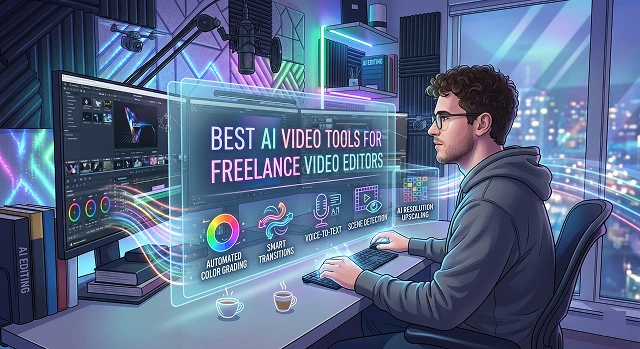
The world of freelance video editing moves fast, and AI isn't here to replace your creative eye—it's here to kill the tedious grunt work so you can scale your business, take on more clients, and actually get some sleep.
To look at this practically, the best tools are broken down by what they actually do for your workflow.
1. The "Big Leagues" Heavy Lifters (For Your Core Workflow)
When conducting high-end client work, it is not a good practice to find yourself leaving your primary editing software. These highly developed and commonly utilized programs have advanced and integrated A.I. functions that allow you to continue to work within your timeline.
- Best Choice: Excellent, high quality, professional, and ready-to-use client video editing.
- Standout AI Feature: The Generative Extend (powered by Adobe Firefly) allows for you to effortlessly add a couple of frames to the beginning of a video clip (to prevent a cut from being abrupt) or add a few frames at the end of your video clip (to prevent a cut from being abrupt). The AI function of Enhancing Speech will also remove the bad audio from horrible cell phone sound recordings or echoing room sounds automatically with just a few clicks of your mouse.
DaVinci Resolve (Studio Version)
- Best Choice: Advanced color grading, VFX, and finishing.
- Standout AI Feature: Magic Mask. Rather than spending countless hours painstakingly creating and animating masks by hand with a rotoscope on each frame of your clip in order to track a subject, you simply need to draw one line over an object or person in your clip and the magic mask will follow that line flawlessly (without needing to do anything else). The other benefit of using the magic mask is that it will use Smart Bin Face Detection to automatically sort through your media to identify which clips have persons on the screen.
2. The Text-Based & Talking-Head Wizards
If you edit a lot of podcasts, interviews, corporate talking heads, or course creators, these tools completely change how you handle rough cuts.
Descript
- Best For: Getting a rough cut done in a fraction of the time.
- Feel: editing a document in Word, as you transcribe your video footage, the Word document will also cut out an exact moment from the video timeline when you backspace on a word or sentence in the document.
- Crazy Features: The AI will quickly remove all filler words ("uhm," "ah," "like"), awkward pauses/silence, and through the Eye Contact correction, it will make a presenter look as if they have been looking directly at the camera while reading a script off to the side.
3. The Short-Form & Viral Clip Machines
Freelancers are frequently asked to create ten TikToks or ten Reels out of thirty minutes of podcast audio. This can take hours to do manually, but these tools do it in three minutes.
- Best For: High-volume social media repurposing.
- How it works: You drop in a long YouTube link or raw file. The AI analyzes the hook, the context, and the pacing, extracts the most engaging "viral" segments, reframes the video to 9:16 (keeping the speaker center-screen), and drops kinetic, styled captions on top.
- Best For: Precise control over social shorts.
- How it works: While Opus is great for finding the clips, tools like Reap and Submagic give you much tighter creative control over the styling—allowing you to heavily customize the caption placement, emojis, sound effects, and auto-b-roll to match a specific creator’s brand identity.
4. The B-Roll & Visual Generation Powerhouses
When a client script calls for a visual you don't have stock footage for, or you need to fix a background flaw, these tools step in.
- Best For: High-end AI VFX and custom B-roll generation.
- How it works: It allows you to generate incredibly cinematic video clips out of thin air using text prompts or reference images. Features like Multi-Motion Brush let you paint over a static photo to animate just the water, the clouds, or a person’s hair, which is perfect for creating unique transitions or background elements.
Summary: How to Build Your Stack
Workflow Optimization · Video Production Toolkits
| If your client work is... | Use this combination: |
|---|---|
| High-End Commercials / Cinematic | Premiere Pro or DaVinci Resolve + Runway (for custom VFX/B-Roll) |
| Podcasts / Interviews / E-Learning | Descript (for the rough cut) + Premiere/Resolve (for the final polish) |
| Social Media Retainers / Shorts | OpusClip (to pull the gold) + Submagic or CapCut (to style and export) |
Submit Your Application
Complete the form below to initiate your AI video generation project.
High-Volume Social Media Repurposing
Manually converting an hour-long webinar into 15 TikToks or Reels for your retainer client who is a streamer, podcaster, or corporate brand will take you forever. These tools automate the tedious tasks associated with clip-mining, auto-reframing and captioning.
- The Vibe: End-to-end growth workflows built for agencies and busy freelancers.
- What they do best: They excel at "highlight mining." You upload a massive long-form video, and the AI combs through the transcript and context to pull out the most high-retention segments. They offer deep, flexible control over caption placement, brand presets, and layout adjustments so your work doesn't look like an obvious AI template.
- The Vibe: The fast, automated clipping standard.
- What they do best: It gives a virality score to extracted clips and automatically tracks faces to keep speakers centered in a vertical 9:16 frame. It's fantastic for raw speed when a client just needs volume.
Professional Timeline Assistants (Plugs into Premiere & Resolve)
You don't always want to leave your professional timeline to use a web app. These tools act as "co-editors" sitting right inside your existing software to handle the tedious initial cuts.
- The Vibe: Time saver extraordinaire for freelance editors of long-format, multi-cam productions.
- What it does best: It works as a plugin for Premiere Pro, DaVinci Resolve, and Final Cut Pro. It takes huge volumes of raw video footage – even upwards of 75GBs and 4K multi-cam clips – and quickly makes them into an edited project by identifying who is speaking and eliminating dead air footage.
- The Vibe: The ultimate automated multi-cam plugin for Premiere Pro..
- What it does best: If you edit multi-camera podcasts, AutoPod automatically makes the cuts between wide shots and close-ups based on the audio tracks. A job that usually takes a human editor an hour of tedious timeline clicking is done flawlessly in about 14 seconds.
Text-Based & Talking-Head Document Editors
If you edit a lot of talking-head videos, interviews, or online courses, text-based editing completely changes how you make a rough cut.
Descript
- The Vibe: Editing video by editing a script.
- What it does best: It transcribes your footage with near-perfect accuracy. If the speaker stumbles, you just highlight the words in the transcript text and hit delete—the video clip cuts perfectly on the timeline.
- Freelancer Lifesavers: The "Studio Sound" feature instantly fixes horrible room echo or background noise from cheap client microphones. The "Eye Contact" tool subtly adjusts the speaker's eyes to look directly at the lens if they were glancing at a script off-camera.
Cinematic B-Roll & Visual Generators
When a client's script calls for a highly specific visual, stock footage libraries like Storyblocks often fall short. This is where high-end generative video fills the gaps.
- The Vibe: Hollywood-grade generative B-roll.
- What it does best: You can create cinematic quality, super-realistic 4K videos from texts and pictures that you feed into them.
- Features: One amazing feature of the Runway application is the Multi-Motion Brush. With this, you can take any static image, and make certain features of it move. For example, you can make smoke start coming out of a coffee mug or waves appearing in the background. Another amazing feature it has is cinema camera controls.
AI Tools for Freelance Editors
Supercharge your editing workflow, smash your deadlines, and scale your client list.
Exactly the opposite! AI isn't replacing editors; editors who use AI are replacing editors who don't. By letting AI handle tedious tasks like sorting footage or cutting silences, you can finish a project in 2 hours instead of 8, allowing you to take on 3x more clients.
Descript and Riverside.fm are gold standards for text-based editing. They transcribe video instantly, allowing you to edit the footage by simply deleting words from the script. It turns hours of scrubbing into minutes of proofreading.
Tools like Opus Clip and Munch are perfect. They automatically detect hooks in long-form video, reframe the speaker, and add dynamic captions. It’s a great way to upsell "Shorts packages" to your existing clients.
Adobe Podcast AI is the go-to solution. It strips away echo, fan noise, and wind hiss, rebuilding vocal frequencies to make phone recordings sound like they were done in a professional studio.
Yes! Premiere Pro has native text-based editing and scene detection, while DaVinci Resolve features a powerful Neural Engine that handles magic masks, voice isolation, and smart tracking directly in your timeline.
For commercial work, stick to enterprise-ready tools like Runway Gen-3 Pro or Adobe Firefly. They provide commercial indemnity protection, ensuring your clients are safe from legal issues regarding training data.
Move to Value-Based Pricing. If AI helps you finish a project in 1 hour instead of 5, don't penalize yourself by charging hourly. Charge for the value of the final asset; the client gets speed, and you get a higher profit margin.
Ready to try Hedra?
Transform your ideas into cinematic video in seconds.