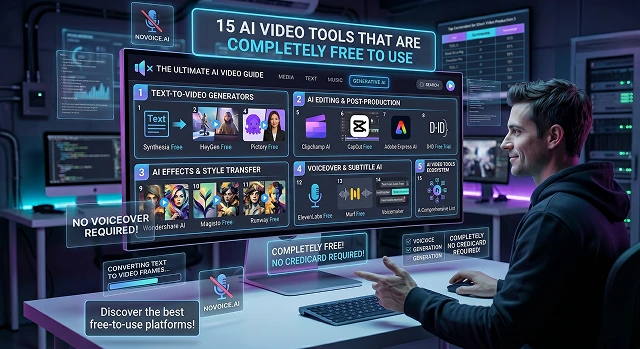
Navigating the world of AI video generators can be frustrating. Many tools claim to be "free" but hit you with heavy watermarks, 3-second limits, or force you to input a credit card.
The landscape has evolved significantly. AI video tools are generally split into three categories: Generative AI (creating clips out of thin air via text/images), AI Editors (polishing existing footage), and Avatar Tools (creating talking human presenters).
Category 1: Exclusive Generative AI (Image/Text-to-Motion Video)
Best for generating feature length films, B-roll footage, or experimental motions graphics created from zero.
1. Kling AI (v3.0)
- What it is: One of the absolute best generators for realistic physics. If you want scenes with flowing water, realistic hair blowing in the wind, or natural human body movements, Kling is a top choice.
- Free Tier: 66 free credits each day that reset every twenty-four hours.
- The Catch: Free exports will have a limit of 720p and be watermarked.
2. Google Veo (via Google AI Studio)
- What it is: Google’s top-tier video generation model. It creates incredibly high-fidelity cinematic 1080p clips that understand camera physics (like smooth tracking or dolly shots). It can even generate synchronized audio (ambient noise and dialogue) natively.
- The Free Deal: You can access it completely free via Google AI Studio under a "rate-limited" tier (meaning you can make a handful of videos per day for free).
- The Catch: There is an invisible digital stamp (SynthID) embedded in the file for safety, but no ugly visual logo blocking your video.
3. Luma Dream Machine
- What it is: GA rapid-firing cinematic video generator. Luma is famous for being incredibly fast and great for "brainstorming" visual concepts, wild camera movements, and dramatic action shots.
- The Free Deal: Gives you a set of free trial renders (usually around 30 monthly or a starting pack of drafts) just for signing up.
- The Catch: The free tier includes a watermark and restricted video resolutions.
4. Pika (Pika 2.5)
- What it is: A very popular tool for modifying existing videos or creating quick social media clips. It features wacky special effects (like "Pikaffects," which let you make objects in a video explode, melt, or squish like cake) and includes built-in mouth lip-syncing.
- The Free Deal: Gives you a pool of daily recurring credits.
- The Catch: Free videos are lower resolution (sub-1080p) and come with a watermark.
5. Runway (Gen-3 / Gen-4)
- What it is: Hollywood's top choice for AI video, Runway provides you with great artistic control through camera directions, prompts for style, and depth of filmic experiences that would typically take your years to learn.
- The Free Deal: For new users, there is a one-time reference pack of free credits you can use to try this out.
- The Catch: You can only use your initial starter pack of credits, so after using them up and not having any other free credits at your disposal, you will be forced to upgrade as it's only a trial sandbox.
6. Hailuo AI (Minimax)
- What it is: A massive powerhouse for generating high-motion clips. If you need intense action, sweeping drone shots, or highly expressive human faces, Hailuo handles it beautifully.
- The Free Deal: Offers a very generous volume of free generations per month (between 90 to 150 clips) upon logging in.
- The Catch: Features a watermark on the free tier and caps output at 720p.
7. Wan AI (v2.2 / v2.6)
- What it is: An open-source "world simulator" model developed by Alibaba. It is incredibly efficient and specialized in atmospheric rendering—meaning it generates beautiful, realistic smoke, fog, fire, and lighting shifts.
- The Free Deal: Because it's open-source, you can use it entirely for free through community spaces like Hugging Face or EaseMate without paying a dime.
- The Catch: Generating on free public servers might mean waiting in a digital queue if a lot of people are using it at once.
AI Video Ecosystem Master List (2026)
Comprehensive Directory · Tier Options & Limitation Matrix
| Tool Name | Best Category | Free Tier Highlights | The "Catch" (Limitations) |
|---|---|---|---|
| Kling AI | Realistic Cinematic | ~66 daily credits | Watermark; 720p resolution limitation on base plan |
| Google Veo | High-End Cinematic | Free via AI Studio | Invisible SynthID watermark; rate limits apply |
| Luma Dream Machine | Fast Generation | ~30 free monthly renders | Watermark; restricted resolution on free outputs |
| Pika 2.5 | Fun Effects / Action | Recurring daily credits | Watermark; lower structural resolution parameters |
| Runway Gen-3 | Professional Creative | One-time starter credits | Trial only; credits do not refresh automatically |
| Hailuo AI | High-Motion Clips | 90-150 monthly clips | Watermark; 720p generation limits |
| Wan AI | Atmospheric / Lighting | Unlimited (Open Source) | Possible wait queues on public hosting servers |
| CapCut (Desktop) | All-in-One Editor | No Watermarks up to 4K | Premium assets and specific features require "Pro" |
| InVideo AI | Text-to-Social Media | 10 mins/week (~40 mins/mo) | Watermark; 720p resolution limit |
| Descript | Speech & Transcription | Transcription + Basic Editing | Watermark; limited video export quality parameters |
| FlexClip | Template Builder | No Watermarks (1080p) | Max 1-minute timeline length restrictions |
| Lumen5 | Blog-to-Video | Unlimited draft projects | Watermark; 720p compilation caps |
| HeyGen | Hyper-Real Avatars | 3 credits per month | Watermark; 30-second duration limit per clip |
| Synthesia | Corporate Training | 3-minute sandbox | Can't download files natively; sharing only via link |
| D-ID | Photo Animation | ~5 minutes trial credits | Watermark; less realistic body movements |
Submit Your Application
Complete the form below to initiate your AI video generation project.
Category 2: AI Video Editors & Builders
Best for taking text, scripts, or long videos and turning them into social media-ready clips.
8. CapCut (Desktop Version)
- What it is: CapCut started as a basic mobile app and is now owned by ByteDance, evolving into a serious production company. It has AI script creation, auto captioning features and will resize your videos automatically as well.
- Free Tier: This is the best value ever for a free editing tool, with a desktop version that outputs video up to 4K resolution without any watermarks at no charge.
- The Catch: Some premium effects and specially designed AI templates are only available at the Pro level, but core editing features are completely free to use.
9. InVideo AI
- What it is: Rather than creating new pixels from scratch, InVideo takes in your text, writes a description based on it, searches its extensive database of over 16 million actual stock video clips, and pieces them together with a voiceover created using AI technology.
- The Free Deal: Provides roughly 10 minutes per week (~40 minutes monthly) of video generated using AI technology if you wish to quickly create an explanatory video from text on YouTube or TikTok.
- The Catch: All videos exported using the free plan will have the InVideo logo watermarked on them and can only be exported as 720p.
10. Descript
- What it is: An absolute game-changer for editing speech. Descript transcribes your video into text. If you want to cut a scene out of your video, you just highlight the words in the text transcript and hit "delete." It also uses AI to instantly erase filler words like "um" and "uh."
- The Free Deal: Offers a permanently free tier with basic transcription hours and video exports.
- The Catch: The free tier limits your export quality and places a watermark on your finished video.
11. FlexClip
- What it is: A web-based video maker that includes a text-to-video AI engine, auto-subtitles, and a massive template library.
- The Free Deal: One of the rare online web editors that allows you to download your projects in 1080p without a watermark on the free tier.
- The Catch: Videos are limited to a maximum length of 1 minute on the free tier, and advanced AI features are heavily limited.
12. Lumen5
- What it is: Specifically designed for bloggers & content creators, Lumen5 allows users to copy a link from either blog post or news article and have its AI read your text, create a storyboard, find images that correspond to your scenes, and produce a slide-style video with minimal effort.
- The Free Deal: Lumen5 offers ongoing free tier allowing users to create & practice repurposing content using the tool.
- The Catch: All videos will be watermarked with Lumen5 logo and maximum video output resolution is 720p.
Category 3: AI Avatars & Presenters
Best for corporate training, product marketing, or educational videos where you need a human talking head but don't want to go on camera.
13. HeyGen
- What it is: The industry king of realistic digital human twins. You type a script, select a hyper-realistic AI avatar, and it speaks your words perfectly in over 175 languages with realistic mouth movements.
- The Free Deal: Gives you 3 free video credits per month to test the system out.
- The Catch: Videos are limited to 720p, max out at 3 minutes long, and include a prominent HeyGen watermark. It’s meant purely as a test sandbox.
14. Synthesia
- What it is: A corporate-focused video studio. It functions like a slide deck creator, allowing you to add text, change backgrounds, and place a professional AI avatar on the screen to present an onboarding or training module.
- The Free Deal: Offers a basic "sandbox" plan giving you up to 3 minutes of video generation with access to roughly 9 stock avatars.
- The Catch: You cannot directly download your videos on the free tier (you have to share them via a webpage link), and they carry a watermark.
15. D-ID (Creative Reality Studio)
- What it is: Unlike HeyGen or Synthesia which use full-body video models, D-ID takes a single still photograph (like a headshot or an avatar picture) and animates it so the face blinks, nods, and speaks your text prompt.
- The Free Deal: Provides a small trial credit allowance (roughly 5 minutes worth of video) upon signup.
- The Catch: It looks slightly less realistic than full-body AI video, and free exports contain a watermark.
15 Verified Free AI Video Tools
Production-ready tools that offer genuine free tiers, daily credits, or open-source access.
In 2026, Kling AI 3.0 is the most generous, offering 66 daily credits that refresh every 24 hours. This allows you to generate roughly 6 to 10 high-quality cinematic clips every single day without ever paying a subscription fee.
Yes, Pika AI (80 credits/month) and Magic Hour (400 credits one-time) currently offer watermark-free downloads on their free tiers. Google Veo 2 also provides clean exports but uses an invisible digital watermark (SynthID) for security.
Wan 2.2 and HunyuanVideo are the open-source leaders. By running these locally on an NVIDIA GPU (24GB+ VRAM), you get unlimited video generation with total privacy and zero cost beyond your electricity bill.
Vidnoz AI is currently the most robust free option, offering over 1,900 avatars and a high-limit free tier. HeyGen also offers a high-quality free trial, ideal for creating a single, professional 1-minute "Digital Twin" video.
Pictory and Lumen5 are built for this. Their free plans allow you to paste a URL; the AI then summarizes the content and pairs it with stock footage automatically. It’s the fastest way to repurpose articles into social media clips for free.
Tools generally use One-Time Credits (e.g., Runway's 125 credits) or Daily Resets (e.g., Kling's 66 credits). For sustainable free use, prioritize tools that refresh daily. Also, note that many free tiers restrict commercial rights to "Personal Use Only."
The "Master Workflow" is to mix and match. Use Kling AI for the footage, Adobe Podcast for the audio cleanup, and CapCut (Desktop) for final editing. By jumping between specialized free tools, you can produce studio-quality content without spending a single dollar.
Ready to try Hedra?
Transform your ideas into cinematic video in seconds.